
Inviting a partner does not necessarily transfer ownership of your account or device. The permissions depend on the app and model. With the QIUI Metal KeyPod, review how partner binding and key access are managed, then distinguish those controls from account recovery. Agree on the available permissions before sharing access, and check the documented way to change them.
Separate the Account Owner from the Invited Partner
The person who creates or registers an app account may have different options from someone invited to a device. Those roles are not interchangeable with physical possession of a key. Before accepting an invitation, identify whose account the device is bound to, whether each person needs a separate account, and what the app calls each role. Do not treat a marketing phrase such as “partner control” as a permission specification.
The long-distance couples guide discusses relationship planning. This page isolates account authority: who can see a device, send commands, change a timer and remove access. Write down the answers for the exact app version and chosen model, because screens and policies can change.
Read the Exact Permissions Being Shared
Metal KeyPod lists two-person binding and app control of a key box. Check the current invitation screen or manual to see whether an invited person can open the box, set or edit a timer, see opening records, or invite others. Do not assume all four permissions travel together. The box’s physical key must also fit and be accessible according to an agreed early-stop plan.
Use a separate row for each action. “Can control device” is too vague for a decision about key custody. If the seller does not document an action, mark it unverified rather than promising the invited person has it.
QIUI Metal KeyPod App-Controlled Key Lock Box with Timer
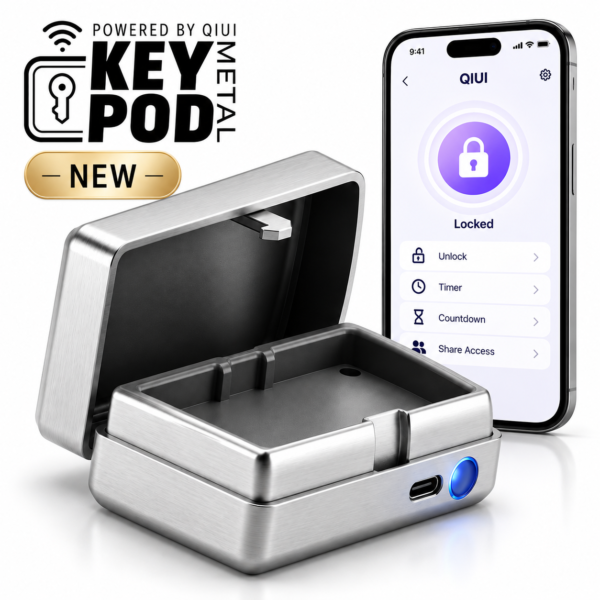
Metal KeyPod is the relevant two-person binding example. Verify each invited role on the current app and the physical key fit; its advertised partnership feature does not define every permission. See the product details and confirm the selected option before ordering.
Check How Access Can Be Changed or Removed
Look for a documented path to revoke a partner invitation, change its duration or transfer a device to a new account. The existence of an invite button does not establish a revoke button, an expiry time or instant removal from cached sessions. Ask what happens to device settings and stored records after access changes. Record the current instructions and test the process off the body if both parties agree.
If an invitation cannot be removed in the way you need, do not substitute password sharing. Sharing an account password gives broader authority than a named role and makes it harder to tell who changed a setting. Agree on the access boundary before pairing the device.
Keep Account Recovery Separate from Partner Control
Account recovery may depend on an email address, phone, app-store account or manufacturer support process. A partner’s control permission should not be the only recovery route. Keep recovery details private to the account owner and follow the app’s own recovery guidance. A device may also have a physical key or local opening procedure that is separate from account access.
Test both questions independently: “Can I regain account access if my phone changes?” and “Can I stop and release the hardware if the account is unavailable?” The first is a digital support issue; the second is an immediate physical-use requirement. Never assume a reset email will unlock a mechanical cage.
Compare Device Access with Physical Key Access
This table keeps role and physical access apart. Fill the unknowns from current product instructions.
| Action | What to verify | Separate physical fact |
|---|---|---|
| Stimulation or vibration | Who may start, change and stop? | Not equivalent to cage release |
| Timer setup | Who may set, edit or cancel? | Check local early access |
| Key-box opening | Who may request and see records? | Does the key fit the lock? |
| Account ownership | Who can invite, revoke and recover? | Who holds an independent key? |
ThrillCage offers app E-Stim and vibration but uses a physical key for its cage. The original KeyPod stores a physical key under timer/app control. Those examples show why a partner controlling an electronic function, a box or the account does not automatically own the cage’s release path.
QIUI ThrillCage App-Controlled E-Stim Chastity Cage
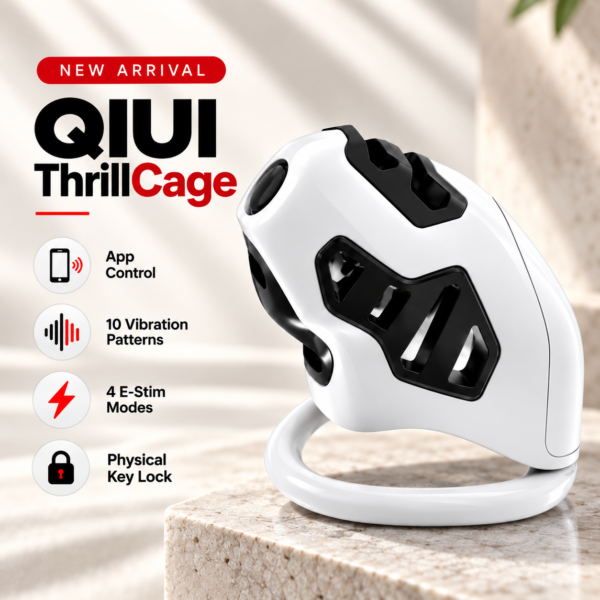
ThrillCage separates app-managed E-Stim and vibration from a mechanical release key. Partner control of an electronic feature must never be described as ownership of the lock. See the product details and confirm the selected option before ordering.
QIUI KeyPod App-Controlled Timed Chastity Key Box

The original KeyPod is a timed key-storage comparison with listed opening records. Confirm who can see or change those records, while keeping account recovery and physical access separate. See the product details and confirm the selected option before ordering.
Before sharing access, agree on the named device, allowed actions, duration, revocation route and physical release plan. If the current app cannot document one of them, leave that permission unresolved.