
A partner’s view depends on the app’s roles and the features enabled for the specific device. Location, opening records and account data need separate checks. Before choosing from our smart chastity collection, find out which information is visible, who can access it and whether sharing can be changed. A device feature does not automatically reveal the app’s complete privacy practices.
Identify the Data the App Displays
Start with what the current app actually shows for the selected device: device name, connection state, activity or timer status, opening history, location, account name and partner details are different data types. A product listing may advertise one feature without showing its complete data handling. Review the app screens, current privacy notice and role settings rather than inferring visibility from a device photograph.
The long-distance guide covers coordinated use. This checklist addresses a narrower decision: what a partner can see and change. Separate information displayed to an invited person from data stored locally on your phone or handled by the app service. They are not automatically the same set.
Separate Location Sharing from Connection Permissions
Pro Cellmate 3 lists a location feature that can be turned off. That does not establish whether the platform stops receiving, storing or processing location-related data. It also does not prove that every invited partner can see location. Verify the exact toggle, the phone permission, the partner view and the current privacy notice separately.
Bluetooth pairing and a device’s cellular mode are connection methods, not answers about location visibility. A distant partner might be able to send a supported command without seeing a map, or a phone might hold location permission for another function. Test what each role sees with consent and ask the provider to clarify any missing data-use detail.
QIUI CAGINK Pro Cellmate 3 App-Controlled Smart Chastity Cage
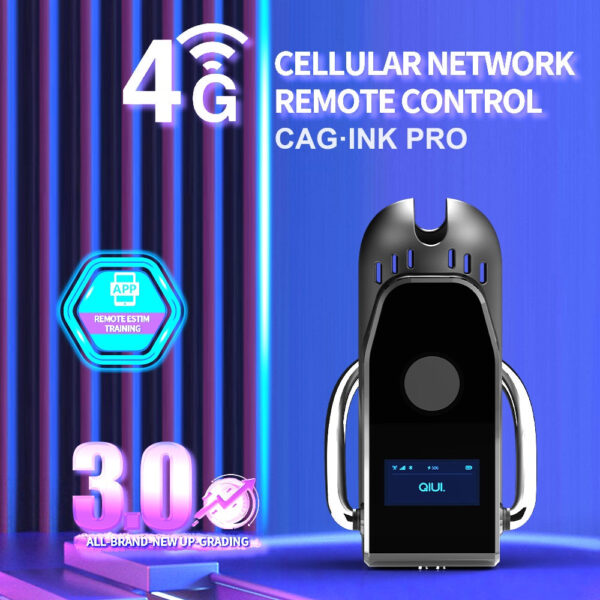
Pro Cellmate 3 lists a location toggle and Bluetooth/cellular modes. Check what each role sees and what the current privacy policy says; a visible off switch is not evidence that all platform processing stops. See the product details and confirm the selected option before ordering.
Ask Who Can Read Device and Opening Records
The original KeyPod lists opening records. Check whether the record appears only to the account owner, to an invited partner, to both, or only on one phone. The presence of a history feature does not prove a partner can read it. Ask whether the record includes times, device identifiers or account names and whether it survives a phone change.
For a cage, ask the same questions about timers, connection events and remote commands. Avoid sharing an account password to test partner visibility: it makes the partner appear as the owner and defeats the permission distinction. Use the app’s intended invitation flow or a manufacturer demonstration.
QIUI KeyPod App-Controlled Timed Chastity Key Box

The original KeyPod lists opening records. Confirm whether those records are owner-only or partner-visible, how long they remain, and how a role change affects access. See the product details and confirm the selected option before ordering.
Ask How Long Records Remain Available
Find the retention and deletion information in the current privacy notice or account settings. Distinguish records on the phone from records associated with an online account and records that the service provider processes. If the notice does not answer how long a particular event remains available to a partner after an invitation is removed, mark that answer unknown and ask support.
Do not describe an app as anonymous, end-to-end encrypted or permanently private without specific current evidence. Turning off a display feature, removing a partner or deleting the app may have different consequences for stored account data. The actual controls and policy date matter more than a general privacy slogan.
Check Visibility Before Inviting a Partner
Use a dated role matrix with a separate source for each answer.
| Data type | Partner view? | Can disable? | Source and date |
|---|---|---|---|
| Location | Check role screen | Check app and phone toggles | Manual/privacy notice |
| Device connection/status | Check invited account | Check per-device settings | App test |
| Timer and activity | Check exact model | Check role permissions | Current instructions |
| Opening records | Check account role | Ask about retention | Provider response |
ThrillCage lists app-managed E-Stim and vibration, but its product description does not establish who sees every app event. Confirm the current QIUI app roles and privacy terms for that exact model before inviting anyone.
QIUI ThrillCage App-Controlled E-Stim Chastity Cage
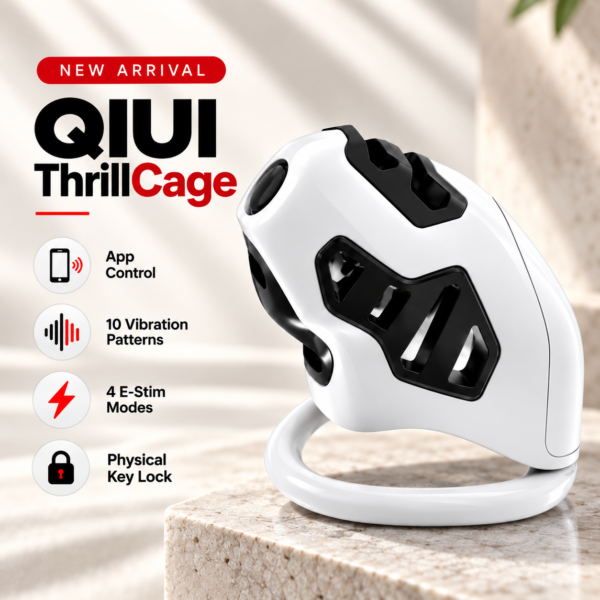
ThrillCage offers app control of E-Stim and vibration with a physical release key. Verify the app’s actual status and event visibility for an invited partner instead of assuming every control event is shared. See the product details and confirm the selected option before ordering.
Invite a partner only after the data types, visible role, disable controls and evidence dates are clear enough for both people. Keep any unanswered privacy claim marked unverified.