
An opening record concerns an event recorded by the key box or its app. It does not, by itself, prove who used the key or whether a cage was opened. The QIUI KeyPod lists opening records, making it a useful example for understanding what a log can tell you and where its limits begin.
An Opening Record Is About the Box
The original QIUI KeyPod listing mentions opening records. At most, that tells you the app or box tracks some opening-related event. It does not by itself prove who held the physical key, who wore a cage, or whether a cage lock was opened. Ask the current app documentation what event starts a record and whether it stores a request, a successful unlock or the lid opening.
The KeyPod comparison covers device differences. This article is about interpreting an event log without turning it into evidence about people or a separate lock.
QIUI KeyPod App-Controlled Timed Chastity Key Box

The original KeyPod is the listing that explicitly mentions opening records. Interpret them as box-related data, with exact fields and timestamps confirmed in the current app. See the product details and confirm the selected option before ordering.
Separate Commands, Events and Physical Actions
A partner may send a command, the box may acknowledge it, a lid may open, and a person may take a key. These are four different events. The app might record one or several; the listing does not identify every field. A command history cannot prove an action succeeded. A successful box opening cannot prove what someone did with a key afterward.
Ask the manufacturer which state the current log displays. If a record says “opened,” determine whether that means electronic latch release, lid movement or a synchronized app message. Avoid claiming the log is tamper-proof or identifies the human who handled the key unless current evidence specifically supports it.
Read Timestamps and Sync Status Carefully
Check the time zone and device time source before comparing records with messages or another person’s recollection. If the box can work offline, ask whether events are stored locally and appear later in the app. A delayed sync can make an event look newly created when only its upload was recent. The current KeyPod app, not a generic diagram, must answer these questions.
ThrillCage’s physical-key cage may never report a manual key turn to a key-box app. Do not merge box timestamps with cage usage claims. Keep raw screenshots or exports private and retain the app version and date checked.
QIUI ThrillCage App-Controlled E-Stim Chastity Cage
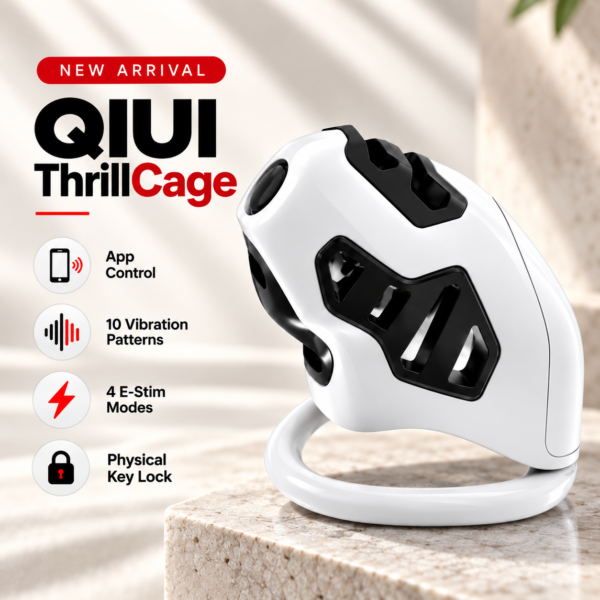
ThrillCage uses a physical key for cage release. A key-box opening record does not show whether this separate mechanical lock was turned. See the product details and confirm the selected option before ordering.
Build an Event-to-Meaning Table
Use this interpretation table until the actual app fields are confirmed.
| Possible record | May support | Does not establish |
|---|---|---|
| Open request | A command was sent | Box opened |
| Latch/open event | Box changed state | Person took key |
| Synced timestamp | App received a record | Exact physical event time |
| Box opening | Access may have been possible | Cage worn or unlocked |
Actual labels depend on the current version; do not paste these illustrative terms into a dispute as if they were the device’s certified evidence. If an event is important, ask the provider for a field definition and time-zone behavior.
Choose Records Only If They Serve Your Agreement
Metal KeyPod may use its own app history and partner rules; do not assume it has the same opening log as the original KeyPod without current documentation. Before using either product, agree whether records are useful, who can view them, and how disagreements will be handled. A record cannot substitute for trust or a clear physical-key inventory.
If a pair needs proof of a physical cage action, a key-box log is the wrong evidence source. Choose the device for its key access and timer, not for an unsupported monitoring claim. Check privacy settings and retention before inviting another account.
QIUI Metal KeyPod App-Controlled Key Lock Box with Timer
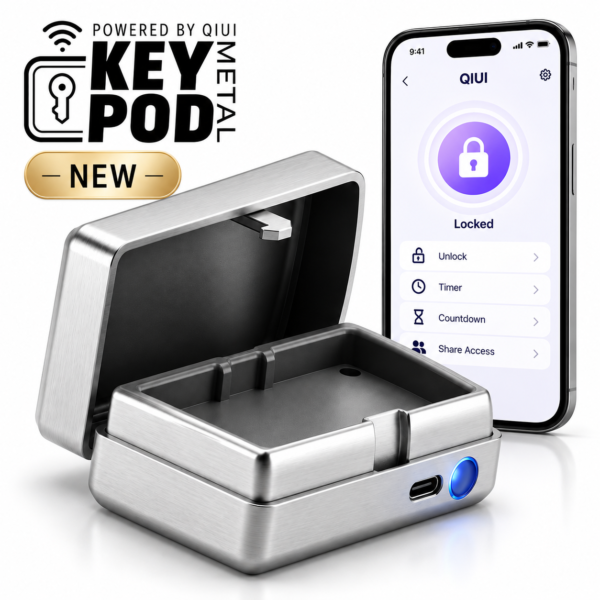
Metal KeyPod is a different model. Its own log fields and partner visibility require evidence; do not carry over the original KeyPod’s history claim. See the product details and confirm the selected option before ordering.
Treat a log as a documented device event with defined fields and limits. Never use it alone to infer someone’s action or a separate cage state.