
Ending a shared key-box arrangement involves both the app and the physical key. Confirm who has the box, where each key is and which supported permissions should remain. Use the Metal KeyPod listing to identify the exact device, then follow its current instructions for an agreed handover without assuming that a permission change retrieves a key already taken out.
Agree on the end of the shared arrangement
Both people should agree what is ending: a partner’s app access, custody of a key, use of a box, or the entire device arrangement. Those are separate commitments. Pick a time to return keys and box, identify the account owner, and check the current model’s instructions together. Do not manage another person’s account or attempt to remove their access without their authorization.
The long-distance guide discusses setting expectations before sharing control. A handover needs the same clarity in reverse: list exactly which permission and physical item each person has, then record the agreed destination for each.
Account for the box and physical keys
Count the box, all keys inside it, keys previously removed, and any spares held elsewhere. The number in a purchase bundle is not proof that every copy is still present. If a key may have been copied, changing an app setting does not invalidate it. Where that matters, the parties need an agreed physical lock or key replacement plan, not a claim that a software revocation solves it.
Open the box through its documented current procedure with both parties’ knowledge. Test which physical key matches the lock without the device being worn. Record unresolved missing items without accusing anyone or making a claim the opening log cannot prove.
Check supported permissions on the exact model
Review who owns the device binding, who is invited, and which actions the invited role can perform. Metal KeyPod lists two-person binding, but the current app must establish the actual revoke or unbind action and its timing. If the manual does not show it, ask official support for a model-specific process. Do not follow a screenshot from another version or share the owner password.
Differentiate revoking an invitation from transferring ownership of the device to a different account. A successful role change may leave timer settings, historical records or a physical key unchanged. Confirm the expected result in the app after making an authorized change.
Record what the handover does not reverse
An app role change cannot bring back a key already taken out, undo a copied key, or establish that a cage was not opened. It may not erase past account data. Check the current privacy and retention information before telling either person that records disappeared. A physical-key cage requires a physical-key inventory regardless of its electronic features.
Where the box or phone is unavailable, do not guess a reset path for a locked device. Use the existing local access arrangement, and ask the manufacturer for legitimate account recovery or transfer instructions. Keep support correspondence and device serial details private.
Finish a device-and-key handover checklist
Use one row per object or permission; mark unverified items instead of checking them off prematurely.
| Item | Owner or holder now | Agreed handover evidence |
|---|---|---|
| Key box and charger | Record holder | Physically returned |
| Original and spare keys | Count each copy | Test against lock |
| Partner role | Account owner confirms | Current app status |
| Timer and records | Check current model | Document remaining state |
| Cage release | Physical key holder | Independent access plan |
The original KeyPod and ThrillCage are useful contrasts: a box account is not the cage’s mechanical lock, and a cage’s app function is not custody of its key.
QIUI Metal KeyPod App-Controlled Key Lock Box with Timer
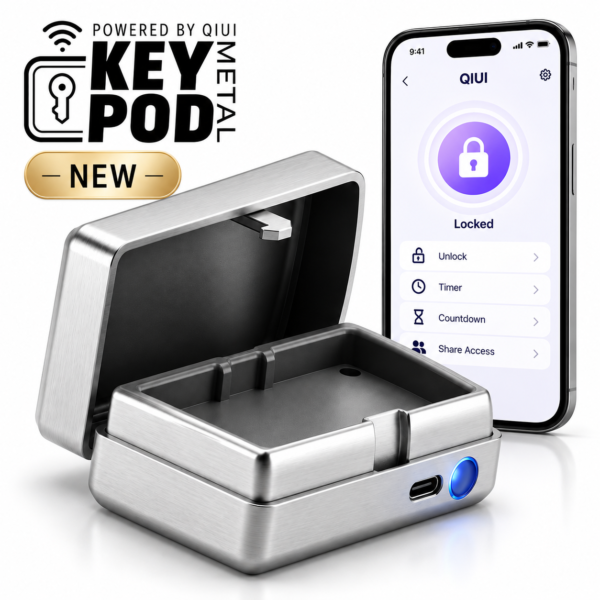
Metal KeyPod is the two-person key-box example. Its app role and physical keys require separate handover checks; current revoke steps must come from its manual. See the product details and confirm the selected option before ordering.
QIUI KeyPod App-Controlled Timed Chastity Key Box

The original KeyPod is a separate timed key-storage model. Verify its own account state and opening rules; do not assume Metal KeyPod controls apply. See the product details and confirm the selected option before ordering.
QIUI ThrillCage App-Controlled E-Stim Chastity Cage
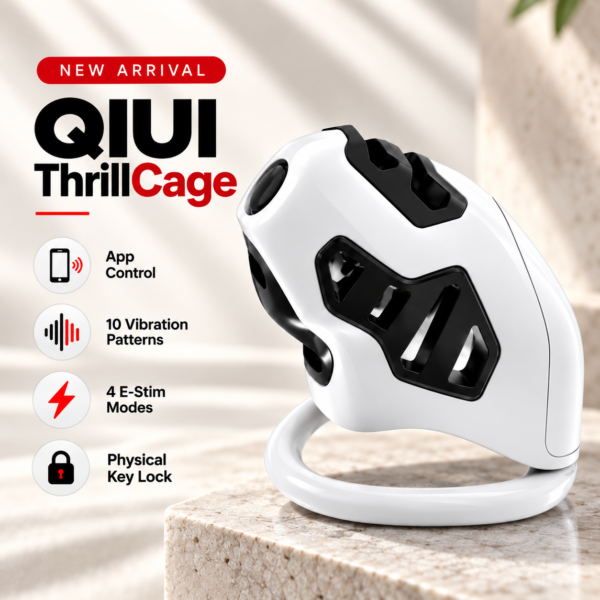
ThrillCage has app-managed electronic functions but a physical-key cage lock. Returning app control does not retrieve, invalidate or replace that key. See the product details and confirm the selected option before ordering.
A complete handover is an agreed account-state check plus a physical inventory. Keep unknown app steps and missing keys visible until the parties resolve them.