
Whether a timer can be changed depends on the device, the current timer state and the permissions attached to the account. Editing a deadline is also different from opening the box early. Start with the Metal KeyPod and its current instructions, then use a state-by-state decision table instead of assuming every countdown has the same cancellation rule.
Identify the Device and Timer State
Start with the exact KeyPod generation, app version and current state: no timer set, countdown pending, countdown active, expired or box already opened. A control available before starting may disappear after the timer starts. Product family names are not enough to know which state transitions the current app permits.
The KeyPod comparison covers the two formats. Here the decision is operational: whether you can change a future deadline, cancel it or open early on this exact device. Those are three separate permissions.
QIUI Metal KeyPod App-Controlled Key Lock Box with Timer
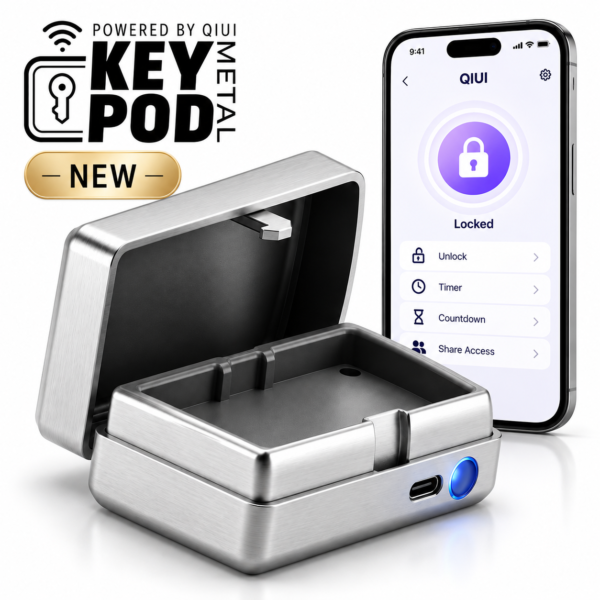
Metal KeyPod is the primary key-box example. Verify its active-timer editing, cancellation and early-access actions in the current app before choosing a policy. See the product details and confirm the selected option before ordering.
Separate Editing from Early Release
Editing a deadline may move the planned opening time. Canceling a countdown may return the box to an unlocked or a different state, depending on its design. An early-release action may open access without changing the saved timer. Do not assume any of these from the presence of a generic “timer” button. Read the current model’s instructions or get a dated support response before relying on an action.
Metal KeyPod has listed app/timer control and a two-person binding feature, but its exact active-timer edit rules are not established here. Do not borrow a “hard mode” description or a screenshot from the original KeyPod.
Which Account Has Permission to Change It?
Check whether the owner, invited partner or both can set, edit, cancel or open early. A person who can view the countdown may not have permission to alter it. Record the role shown in the current app and the actual device bound to that account. Do not share the owner’s password to create an artificial permission test.
Test a proposed policy with the box empty and unworn, following only documented app actions. A successful edit before the timer starts does not prove that editing remains possible during a live countdown. Record both results separately.
Build a Version-Specific Decision Table
Fill this out using the instructions for your own model and app release. An unknown cell is a reason to pause, not a negative answer.
| State | Edit deadline? | Cancel? | Open early? |
|---|---|---|---|
| Before start | Confirm with current app | Confirm | Confirm |
| Active countdown | Confirm separately | Confirm separately | Confirm separately |
| Expired | Usually a different state; verify | Verify | Check documented box opening |
| Account unavailable | App action may be inaccessible | Do not assume | Use documented local access plan |
The original KeyPod is a different comparison case. Its rule for one state should not be copied to Metal KeyPod without matching documentation.
QIUI KeyPod App-Controlled Timed Chastity Key Box

The original KeyPod is a different timed box. Its app state and opening behavior require their own documentation; one model’s rule does not establish the other’s. See the product details and confirm the selected option before ordering.
Choose a Timer Policy You Can Manage
Agree in advance who may set a timer, which changes are allowed, how early access works and where an independent spare key remains. If the answer depends on an undocumented app action, choose a less restrictive setup or wait for support. If the device is already worn and something feels wrong, prioritize the available release route and professional help where needed; waiting for a countdown is not a safety plan.
MetalShake, an app-locking cage, is a contrast: its locking controls are not the same as a key-box deadline. Do not use its app interface as evidence for either KeyPod’s edit or cancel rules.
QIUI CAGINK MetalShake App-Controlled Metal Vibrating Chastity Cage

MetalShake is an app-locking cage rather than a key box. Its release controls cannot answer whether a KeyPod countdown is editable. See the product details and confirm the selected option before ordering.
A reliable timer plan is based on the exact model, live state and account role, with a separate early-release route. Keep unverified app actions out of the plan.