
An invitation can fail before it is delivered, while it is being accepted or after access appears to be granted. Identify that stage before repeating the request. For app-controlled chastity devices, check the model’s supported sharing feature and both accounts’ requirements; an invitation error is different from a Bluetooth pairing problem or a transfer of device ownership.
Confirm the Model Supports the Intended Sharing Feature
First identify the exact model, app version and feature you want to share. “Partner invitation” may mean viewing a device, changing a timer, controlling a function or opening a key box. The presence of an app does not establish every sharing role. Check the current model instructions before diagnosing an invitation as broken.
The long-distance guide covers relationship planning. This page separates three technical stages: the invitation was not sent or received, it was received but cannot be accepted, or it was accepted but the promised action is unavailable. Record the stage before sending a duplicate invitation.
Check the Inviting Account’s Authority
Confirm that the inviting person is signed in to the account authorized to manage the specific device. An invited partner may not be allowed to invite another person. Check whether the device is bound to the intended owner and whether a prior invitation is still pending. Do not share the owner’s password to work around a missing invite action; it changes the scope of access and hides the real permissions.
If account ownership is unclear or a second-hand device remains bound to someone else, stop. Ask the manufacturer about legitimate transfer. Do not use reset sequences or third-party services to bypass a binding.
Match the Recipient and App Requirements
Use the recipient identifier required by the current app—email, phone or another supported mechanism—without assuming one applies to every manufacturer. Confirm both people use the supported app, region and version for that exact model. A typo or stale recipient account can prevent delivery. Verification links and codes should be opened only in the intended app or official service.
Ask the recipient to report whether nothing arrived, an invitation appears but errors on acceptance, or acceptance succeeds. These outcomes suggest different next questions. Keep account names private and never ask a support agent to enter a one-time code for you.
Record the Invitation State Before Trying Again
Use this small state log with both people present and the device unworn.
| Stage | Observation | Next check |
|---|---|---|
| Before send | Invite action and selected device | Owner permission and model support |
| After send | Pending, delivered or error | Correct recipient and service status |
| Acceptance | Accepted or rejected message | Correct app and account |
| Granted role | Visible devices and actions | Match intended permission |
Retry only according to the app’s current instructions. Repeated invites can create confusing pending states, and an “accepted” banner is not proof that every device action was granted.
Verify the Granted Access After the Invite Succeeds
Check one authorized action at a time off the body, with the owner present. Metal KeyPod lists two-person binding, but exact opening and timer permissions need current app evidence. ThrillCage has app electronic functions and a physical-key cage release; an invited role for stimulation is not access to that key. The original KeyPod is a different timed-key-box model whose record visibility and role controls must be checked separately.
Agree on how access can later be changed or revoked, and preserve an independent local release plan. If the app’s current instructions do not document the needed partner action, ask support before relying on it.
QIUI Metal KeyPod App-Controlled Key Lock Box with Timer
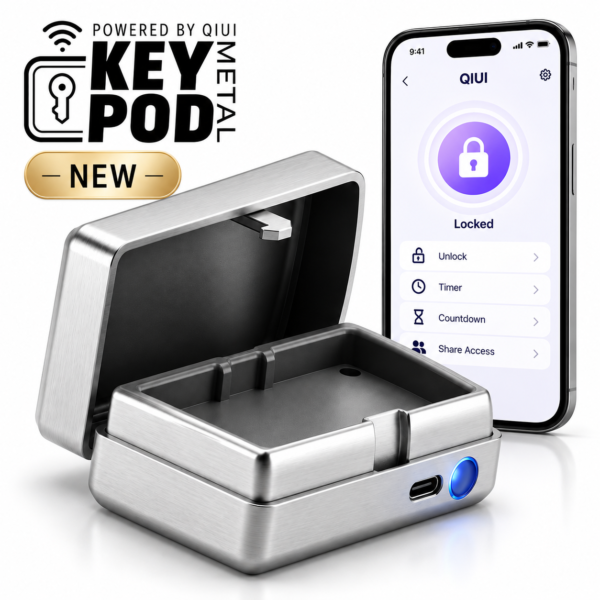
Metal KeyPod lists two-person binding. Verify the actual invitation state and the permitted box action for each role; do not infer every partner can edit a timer. See the product details and confirm the selected option before ordering.
QIUI ThrillCage App-Controlled E-Stim Chastity Cage
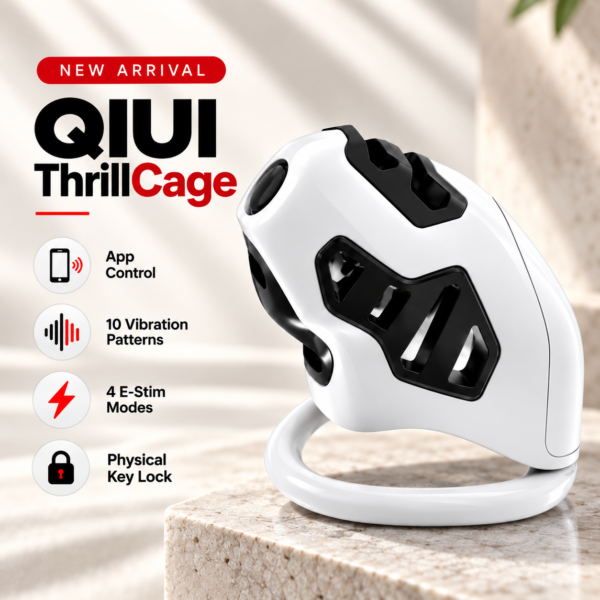
ThrillCage is a QIUI electronic-function comparison. Partner access to an app function cannot be equated with its mechanical-key release. See the product details and confirm the selected option before ordering.
QIUI KeyPod App-Controlled Timed Chastity Key Box

The original KeyPod stores a physical key under app/timer control. Confirm its own account invitation and opening-record visibility rather than carrying over Metal KeyPod assumptions. See the product details and confirm the selected option before ordering.
An invitation is complete only when the intended account has the specific documented permission on the intended device. Keep owner recovery and physical release outside that invitation test.