
“Emergency unlock” can refer to different mechanisms, and an offline timer is not the same as immediate local release. Before choosing from the smart and electronic collection, find the instructions for that exact model and identify which access method is available without a remote command. A product label alone should not be treated as a guarantee about power loss or a fault.
Separate four different access claims
“Emergency unlock” might refer to a physical spare key, a local electronic switch, a timed release rule or a support procedure. These are not equivalent. Ask which mechanism the exact model provides, what power and account state it requires, and whether it can be used when the network is unavailable. A sales label alone cannot answer those conditions.
The smart-device beginner guide covers planning access. This article narrows the words used in listings so a buyer does not confuse “offline timer” with immediate local opening.
A physical-key release arrangement
ThrillCage uses a physical key for cage release. Its app handles E-Stim and vibration, not direct unlocking. Two keys are listed in the package, and an optional KeyPod can store a key when purchased separately. A key stored in a box is still a physical key that must be retrieved and used on the cage; its timer does not make the cage open automatically.
Confirm the keys work on the selected lock, keep an accessible early-stop plan and do not treat an app connection as a substitute. A spare key is useful only when its location is known and reachable.
QIUI ThrillCage App-Controlled E-Stim Chastity Cage
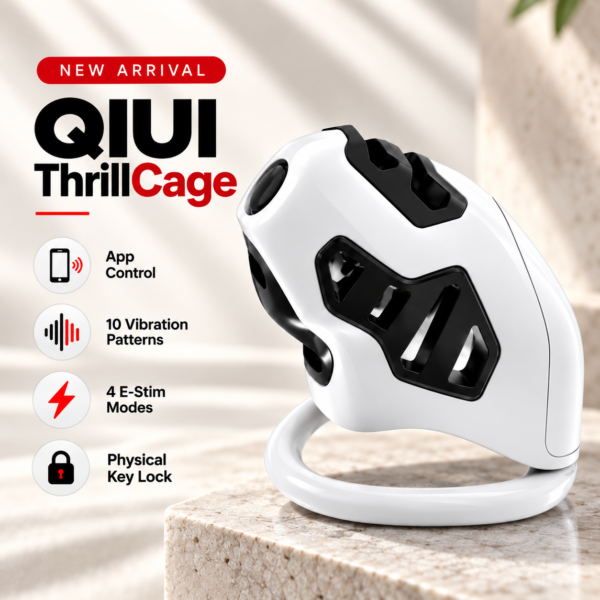
ThrillCage has physical-key release, with optional separate key-box storage. Its app E-Stim and vibration controls do not directly unlock the cage. See the product details and confirm the selected option before ordering.
A listed emergency function needs exact instructions
MetalShake’s listing mentions an emergency-unlock function as part of its app-locking system. That establishes the feature label, not the button sequence, power-loss behavior or network requirement. Ask the manufacturer for the current manual steps and limits, then test only as instructed with the device unworn. Do not invent a reset, short circuit or default code.
The Lockink app cage separately lists an emergency safety switch and timed lock. Its description says the switch exists, but the precise procedure and conditions must come from that model’s instructions. Do not apply MetalShake steps to it.
QIUI CAGINK MetalShake App-Controlled Metal Vibrating Chastity Cage

MetalShake lists an emergency-unlock feature, but the conditions and steps need its current manual. Do not promise automatic opening under a flat battery. See the product details and confirm the selected option before ordering.
Check what the manufacturer says about faults
Ask how the chosen device responds to a flat battery, lost phone, failed app account, timer fault and interrupted network. The answers may differ for each failure. Do not write “it automatically opens when power dies” or “it always works offline” unless the exact manual explicitly supports that bounded claim. An offline timer may govern a scheduled event rather than an immediate local release.
If a device is already stuck and the wearer has pain or another concerning symptom, prioritize immediate qualified help instead of waiting for a timer or following an improvised mechanical procedure. This is not a remote diagnosis or an instruction to cut, drill or bypass a lock.
Questions to resolve before choosing a device
Fill the unknowns from current model documentation.
| Question | Required answer |
|---|---|
| Exact release mechanism? | Key, local switch, scheduled event or other |
| Who can activate it? | Owner, partner or physical key holder |
| Needs power/network? | Conditions in current manual |
| What if app fails? | Documented independent route |
| Can it be tested unworn? | Approved procedure |
Use the current selected variation and keep the support response. A feature label should not be the only emergency plan.
App Chastity Cage Remotely
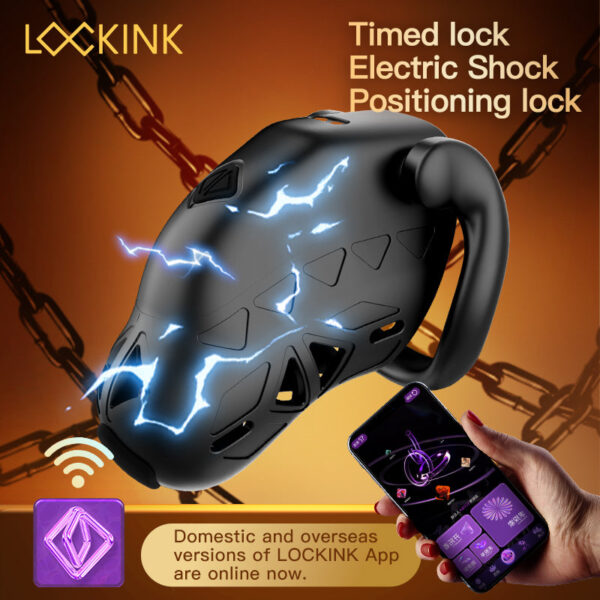
The Lockink app cage lists an emergency safety switch. Confirm the exact model-specific operation rather than borrowing another smart cage’s procedure. See the product details and confirm the selected option before ordering.
Choose a model only after you can describe its documented release path under the relevant failure states. Keep marketing labels and actual procedures separate. Record the manual version and test result off the body.