
Check the remote and device as a matched pair: both need the correct power setup and the selected product version must support that controller. The remote-controlled chastity range includes different packages, so a controller that looks similar may still be incompatible. Use the model’s documented test procedure with the device unworn before deciding which part needs support.
Match the Remote to the Exact Device
Read the model names on both the device and the remote or their packaging. A remote sold with one cage may not communicate with a similar-looking cage, even in the same category. Check the selected product option and the manufacturer’s compatibility information before trying any pairing action. Photograph model labels for a private support record.
The remote-controlled cage guide compares controller types. This checklist addresses one fault: the intended handheld controller sends no observable response. Do not assume that an app version of a cage also includes or accepts a remote.
Check the Power Instructions for Both Parts
Inspect power status separately for the handheld remote and the device. Depending on the model, each could use a replaceable battery, charging port or another setup; there is no universal battery location or type. Follow the included instructions, check any documented indicator and note whether either unit was recently charged or powered on. Avoid opening sealed parts or improvising a charger.
If the device responds through another documented controller but not through its paired remote, that is useful evidence; it is not proof the remote is defective. If neither route responds, record both results. No range or wall-penetration claim follows from the word “remote.”
Confirm the Selected Version Supports This Remote
War Dragon’s short and long cage plus ring choices can affect the actual package. The Blue App and Remote Vibrating Cage lists both control routes, but verify the remote included with the selected order and the function each route can change. Some other listings have separate controller packages. Keep a photo of the exact option rather than relying on a family title.
Check whether the remote operates vibration, stimulation, a timer or a lock. A controller for one function is not an electronic release device. If no matching remote is listed for your variation, ask the seller before troubleshooting it as if it were included.
Test Only the Documented Control Procedure
Place the device unworn, with both parts powered as directed, and perform the manufacturer’s stated test for the chosen function. Note the distance and whether the remote indicator changes. Do not invent an undocumented button combination, repeatedly activate stimulation or test through walls to guess a range. If the manual lacks pairing steps, request them from support rather than cycling random commands.
Stop at the first repeatable observation: no remote indicator, indicator but no device response, or device response to another controller only. The observed stage helps support distinguish power, compatibility and communication without claiming an unmeasured cause.
Keep the Findings with the Model Details
Use a compact support log.
| Item | Record |
|---|---|
| Device | Exact model and selected package |
| Remote | Included model or separately purchased part |
| Power | Documented indicator on each part |
| Test | Manual step, distance, observed response |
| Other route | Whether a supported app responds, if applicable |
War Dragon, the blue dual-control cage and the other remote-package example below use different controller arrangements. Request support for the specific pair instead of exchanging a remote based solely on its shape.
War Dragon Remote-Controlled Vibrating Chastity Cage Set
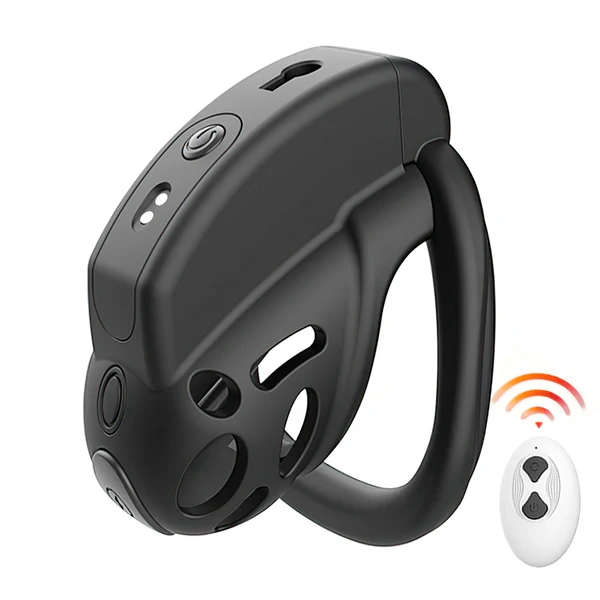
War Dragon is a handheld-remote vibration option with cage and ring packages. Verify the remote included for the selected variation and test only its documented function. See the product details and confirm the selected option before ordering.
Blue App and Remote Vibrating Chastity Cage with 10 Modes
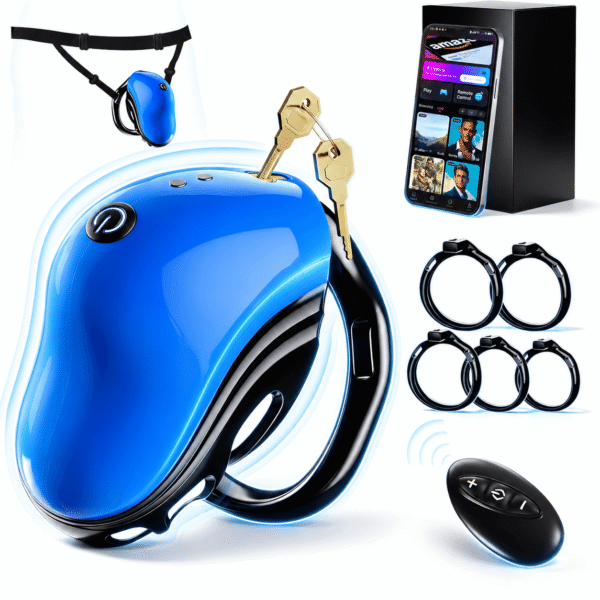
The Blue App and Remote Vibrating Cage provides two listed controller routes. Confirm which remote belongs to that chosen package; an app response does not prove the remote is paired. See the product details and confirm the selected option before ordering.
9-Mode Wireless Remote-Controlled E-Stim Chastity Cage Set
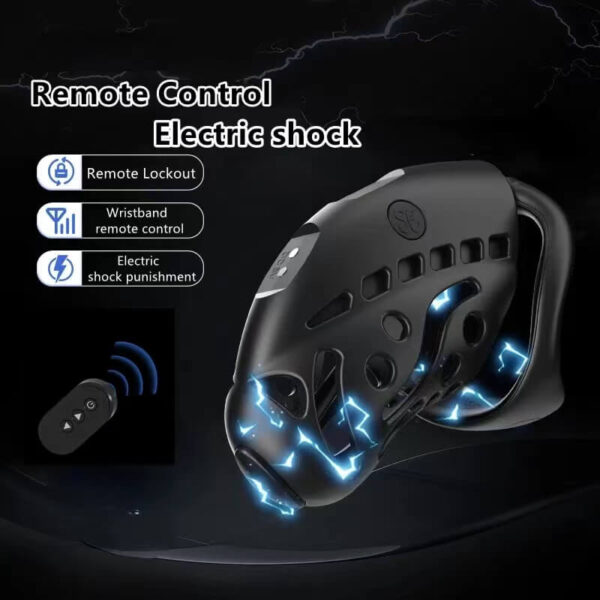
This remote-controlled cage is another package-specific comparison. Verify its controller inclusion and power instructions instead of treating remotes from other listings as interchangeable. See the product details and confirm the selected option before ordering.
A good support request names both models and one repeatable unworn test. It avoids unsafe guessing about battery type, range or secret pairing commands.