
A connected label does not confirm that every control is available or that a command reached the intended device. Check the selected model, requested function and permissions first. With app-controlled chastity devices, electronic functions and physical release may be separate, so an app control that is absent or inactive should not automatically be treated as a broken lock.
Identify the Function You Expected to Work
Write down the command you sent: vibration, E-Stim, timer change, box opening or lock release. A status badge saying “connected” is an observation about a communication layer, not evidence that the physical action occurred. Note when the badge changed, whether a control appeared active and whether the device showed any response. Keep this test off the body.
The smart-device guide covers initial setup. Here the symptom starts later: the app displays a connection but a requested feature does not respond. Do not treat a missing app-unlock button as a malfunction when the selected cage uses a manual key.
Confirm the Selected Device and Supported Controls
Check the exact device selected in the app, especially if more than one unit is registered. Compare the visible controls with the selected product variant and its manual. A family listing may show options that do not belong to the purchased version. App access to electronic stimulation or vibration also says nothing about a mechanical cage lock.
Record whether the expected control is absent, greyed out, sends a visible command with no hardware response, or returns an error. Those four outcomes lead to different support questions. Repeatedly raising intensity to “see if it works” is not an appropriate diagnostic test.
Check Access and the Current Device State
Confirm which account owns the device and whether the current user has permission for the specific action. If an invited partner can view status but cannot change a setting, the connection can be real while that control remains unavailable. Check device power and charge indicators only as documented for the model. Note whether a timer or other state limits the attempted action.
Do not change ownership, delete an account or reset a lock to investigate a permission question. If the app reports another person’s binding, stop and ask the provider about authorized transfer. Record the exact screen message without sharing passwords or verification codes.
Use Only the Manufacturer’s Unworn Test Procedure
Follow the current model’s documented self-test, if one exists, with the hardware unworn and a known local stop/release method available. If there is no documented test, stop at a factual report: selected device, app version, function requested, displayed state, command time and observed result. The provider can then identify the next safe check. Do not improvise stimulation tests on a person.
| Observed stage | Record | Next question |
|---|---|---|
| Connected badge | Time and device selected | Does this mean local pairing only? |
| Control display | Present, absent or disabled | Is it supported for this variant and role? |
| Command result | Error or no visible response | What does the current manual specify? |
| Physical release | Key or documented local route | Is it independent of the app? |
Compare Electronic Functions and Locking Methods
ThrillCage lists app E-Stim and vibration yet uses a physical key to unlock the cage. QIUI E-Stim A-Plus is another electronic-function model whose precise release method must be read from its own current instructions. MetalShake lists app locking and vibration, making it a different architecture to investigate. A connection failure on one function cannot be generalized to all three products.
Review the selected variation, control route and release path before ordering or requesting a replacement. A support request should describe the exact failed function, not simply say “the lock app is broken.”
QIUI ThrillCage App-Controlled E-Stim Chastity Cage
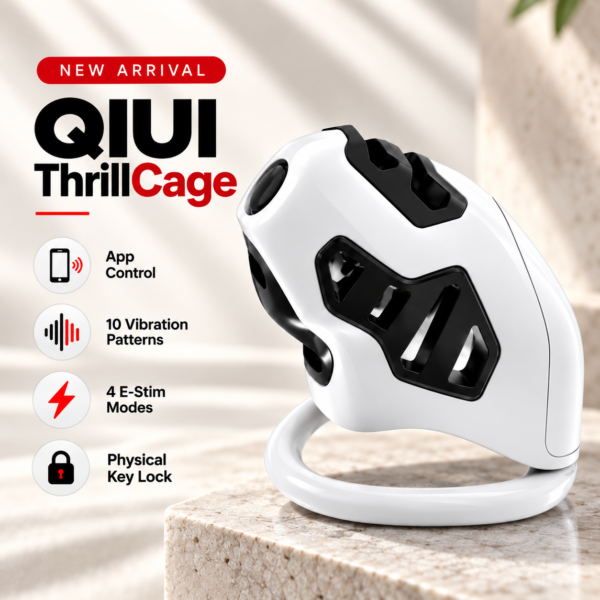
ThrillCage is relevant when app-managed E-Stim or vibration fails. Its manual key still controls physical cage release, regardless of a connected badge. See the product details and confirm the selected option before ordering.
Dragon Taming Master 9-Mode App-Controlled E-Stim Chastity Cage
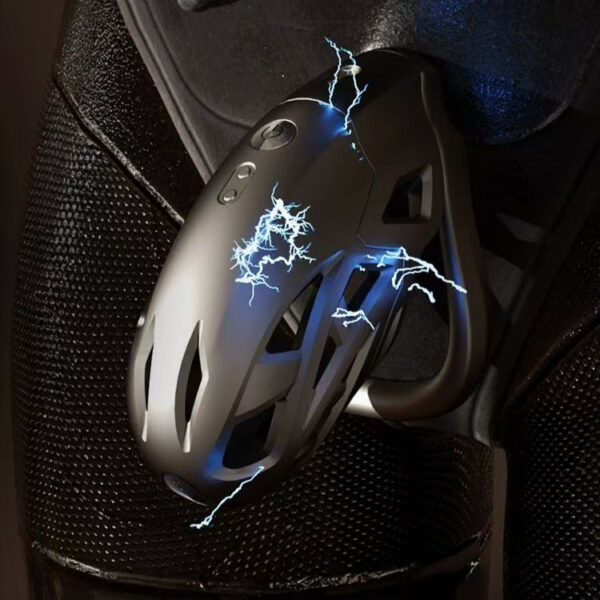
QIUI E-Stim A-Plus offers another electronic-function comparison. Verify the selected model’s supported app actions and physical release; do not assume it opens through the app. See the product details and confirm the selected option before ordering.
QIUI CAGINK MetalShake App-Controlled Metal Vibrating Chastity Cage

MetalShake lists app locking as well as vibration. That makes its control and release questions materially different from a mechanically keyed app-stimulation cage. See the product details and confirm the selected option before ordering.
Separate communication state, permitted electronic actions and physical release. Escalate an unworn, documented failed action to support rather than increasing output or testing while worn.