
An update is useful context, but it does not by itself identify the cause of a new connection problem. Record the app version, phone software and exact symptom before reinstalling anything. For app-controlled chastity devices, recheck the documented support requirements and relevant permissions, then compare the connection steps with the device unworn before sending a report to support.
Record Which Software Changed
Identify whether the app, phone operating system or device firmware changed. These are three different components. Save the version numbers, update dates and the first time you saw the symptom. Timing alone does not prove an update caused a failure; a low battery, changed permission or service issue could coincide. Avoid declaring a cause before a repeatable observation exists.
The smart-device guide covers setup fundamentals. This article concentrates on a before-and-after report. Keep the device unworn while retesting, especially if a timer or release route has become unclear.
Read the Current Support and Release Information
Check the official app store release notes and manufacturer support page for the exact model. A note such as “bug fixes” is not proof that your symptom is covered. Ask whether the new app version still supports your phone OS and device firmware, and whether a documented migration step is required. Record any known issue and its support date.
Do not install an old app from a third-party APK archive or flash unsigned firmware. Those steps add security and device risks and may lose binding or settings. Where official instructions are absent, wait for a supported answer rather than improvising a rollback.
Recheck Only the Permissions Relevant to the Failure
If the symptom is discovery, inspect Bluetooth or nearby-device permission. If it is remote access, inspect the relevant network and account state. If notifications are missing, inspect notification permission; do not change location or unrelated privacy settings without a model-specific reason. The names and behavior of permissions vary across phone systems and releases.
Separate “can sign in,” “can see device,” and “can send command.” Recheck one layer at a time. Avoid deleting the account or uninstalling the app before you know how device binding and locally stored data are preserved.
Test the Documented Connection Sequence Unworn
Follow the model’s current pairing or reconnection procedure with the hardware off the body. Record each screen and result in order. If the manufacturer warns against a reset while a lock is engaged or another account owns the unit, follow that warning. Do not use a reset as the first test just because an app updated.
| Stage | Before update | Now |
|---|---|---|
| App sign-in | Working / untested | Record exact error |
| Device discovery | Visible / untested | Visible / absent |
| Connection | Connected / untested | Status and time |
| Listed action | Worked / untested | Result, unworn |
| Release | Local route known? | Confirm independently |
Send a Clear Before-and-After Report to Support
ThrillCage, Bee Sting and Metal KeyPod use different model and function paths. For each, report its exact model, app and phone versions, whether firmware changed, the action tested and the observed result. Metal KeyPod is a key box; a cage app issue does not prove its own release path. ThrillCage still uses a physical key for its cage lock.
Ask official support for current steps that preserve binding and data. Redact private account information, passwords and codes. A concise timeline is more useful than saying only that the update broke everything. Keep the original error wording and the last known working version together so support can compare them.
QIUI ThrillCage App-Controlled E-Stim Chastity Cage
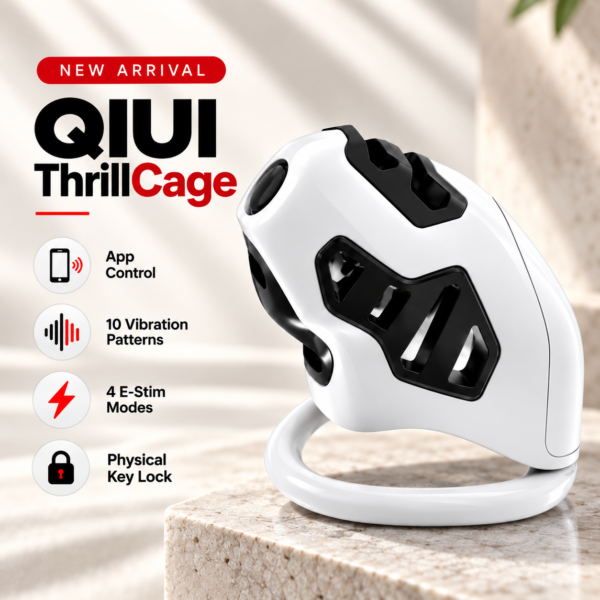
ThrillCage is a QIUI electronic-function example with mechanical-key release. Report whether app E-Stim or vibration changed; do not claim its lock is now app-inoperable. See the product details and confirm the selected option before ordering.
LOCKINK Bee Sting 10-Mode App-Controlled E-Stim Chastity Cage

Bee Sting is a LOCKINK app example. Its specific app and firmware version must be identified before relating a symptom to an update. See the product details and confirm the selected option before ordering.
QIUI Metal KeyPod App-Controlled Key Lock Box with Timer
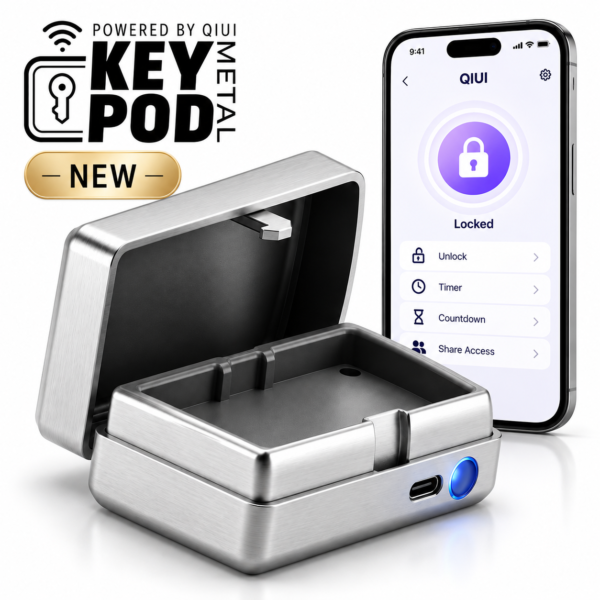
Metal KeyPod is a timed key-box comparison with its own app binding. Diagnose box visibility and opening separately from any cage electronics. See the product details and confirm the selected option before ordering.
Reproduce one documented failed step off the body, preserve versions and consult official support before reinstalling, resetting or changing ownership.