
Use the app named by the manufacturer for your exact device, then check the publisher and supported models before installing it. Similar names or matching icons are not enough. For our app-controlled chastity range, keep the verified download reference with the model information so that updates, phone changes and support requests start with the correct app.
Read the Model Name on the Device and Packaging
Start with the model printed on the device, its package or the order line for the selected variation. A brand can sell a cage, a key box and a remote-control model under similar language while each uses a different setup. Photograph the model label for your own records and compare it with the installation section of the supplied instructions. A marketplace title or an app icon is weaker evidence than a model-specific manual.
The smart-device beginner guide covers the wider setup sequence. This checklist solves the narrower download problem before an account is created or a device is paired. If the model label is absent, ask the seller for the exact product generation and app reference.
Follow the Manufacturer’s App Reference
Look for the app name and store route in the manufacturer’s current instructions for that model. A printed QR code can be useful, but the page it opens still needs inspection. Do not select the first search result because it uses a similar name, bee image or brand word. Keep iPhone and Android references separate; availability, publisher and supported versions can differ by platform and country.
QIUI’s ThrillCage lists app-managed E-Stim and vibration, while the cage uses a physical key for release. The optional KeyPod is a separate item, not an app included in the cage package. The Apple App Store currently lists a QIUI app under Foshan Qiui Technology Development Co., Ltd.; that public listing alone does not establish compatibility with every QIUI device generation. Confirm the ThrillCage manual’s exact app reference before installing.
QIUI ThrillCage App-Controlled E-Stim Chastity Cage
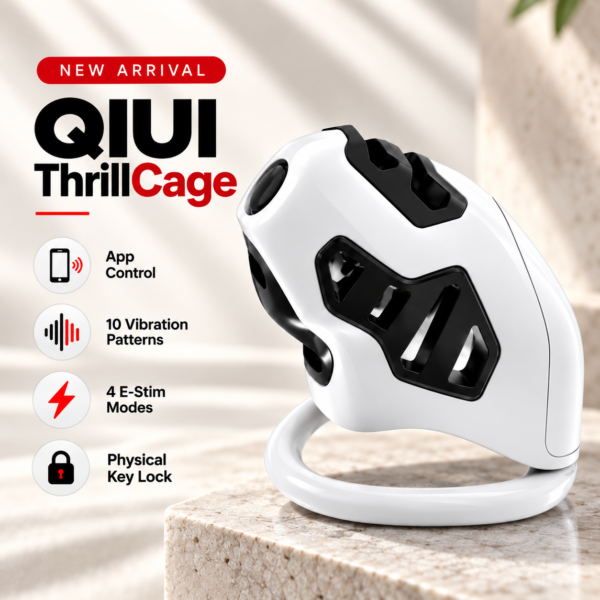
ThrillCage illustrates the need to match a QIUI app to the exact cage. The app controls listed electronic functions, while its physical key is a separate release requirement; optional KeyPod is not part of the cage. See the product details and confirm the selected option before ordering.
Compare the Publisher and Supported Models
Read the publisher or developer name on the store listing, then compare the supported-model list with your own model. Verify the store listing is available in your region and the current app works with your phone’s operating system. A correct brand word and a working download are only two checks; neither proves that pairing, partner permissions or the needed function will work on this particular device.
The LOCKINK app listing in the Apple App Store identifies a developer, which you should compare with the manufacturer’s current model-specific reference. A LOCKINK-branded search result from another publisher calls for more checking against the device manual. The App Chastity Cage Remotely listing mentions timed lock, stimulation and a safety switch, but those functions still depend on its selected model and current instructions. Do not substitute generic app-store text for the release procedure.
App Chastity Cage Remotely
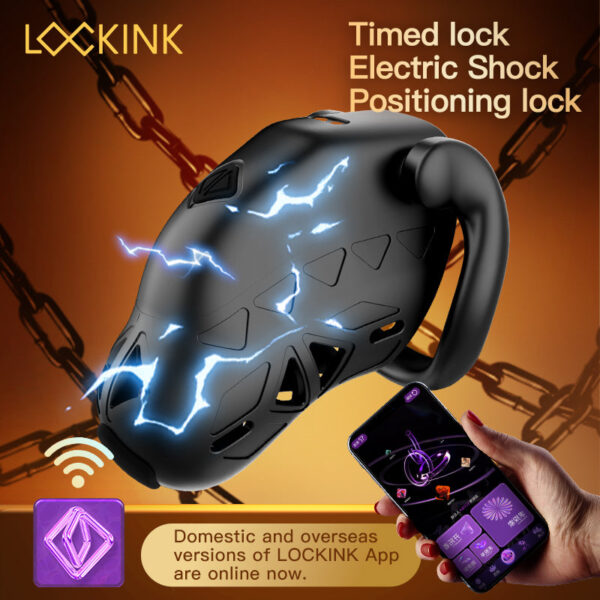
This LOCKINK app cage lists timed lock and stimulation features. Verify the publisher and model-specific manual before choosing a similarly named app or assuming a generic release step applies. See the product details and confirm the selected option before ordering.
Check a QR Code Before Installing
Preview the destination of a QR code and check whether it leads to a legitimate app-store listing or a current manufacturer page for the exact product. Compare the page’s app name and publisher with the manual. If it redirects repeatedly, asks for a configuration profile, or offers an unofficial installation file, pause and request a verified download reference from the seller or manufacturer. Do not disable phone security to install a lookalike APK.
Store listings and app versions change. Record the date you checked and whether a source was the manual, a manufacturer response or the platform listing. If these disagree, keep compatibility marked unresolved until the device maker clarifies it.
Keep the Correct Download Details with Your Device
Save a small setup record before pairing. This prevents a later phone change from turning into a hunt for an app with the same icon.
| Record | What to capture |
|---|---|
| Device | Exact model and selected variation |
| App | Official name, publisher and store listing |
| Phone | Platform, OS version and store region |
| Evidence | Manual or maker reference and date checked |
| Release | Separate physical or documented local procedure |
Bee Sting is a useful example of a LOCKINK app product with listed E-Stim and timing. Its precise pairing and release steps must come from that model’s current manual. Never infer that an app’s installation success means the cage can be unlocked in the app.
LOCKINK Bee Sting 10-Mode App-Controlled E-Stim Chastity Cage

Bee Sting is another LOCKINK app model. Keep its model-specific app reference, pairing instructions and physical-release directions together rather than borrowing them from a different LOCKINK cage. See the product details and confirm the selected option before ordering.
Install only after the model, manufacturer reference and publisher align. When that chain is incomplete, ask for documentation and keep the app choice unverified.