
Bluetooth and internet access describe different parts of a connection. Bluetooth usually links a device to a nearby phone; remote access needs a separately supported route. When comparing app-controlled chastity devices, identify every connection in that route before assuming a partner can operate the device from another location. A cellular model may use a different arrangement.
Bluetooth Handles the Nearby Connection
Bluetooth normally describes a short-range radio link between a device and a nearby phone. It does not, by itself, say whether a distant partner can send commands through the internet. First identify which phone must be near the hardware, which app version it uses and what function the link actually controls.
Metal KeyPod illustrates why the last question matters. The QIUI app may manage a box’s key access and timer, but opening a box only makes a physical key available. It does not send an electronic unlock command to a mechanical cage. Verify the box’s Bluetooth and account-permission details in its current instructions, as well as the actual key fit.
QIUI Metal KeyPod App-Controlled Key Lock Box with Timer
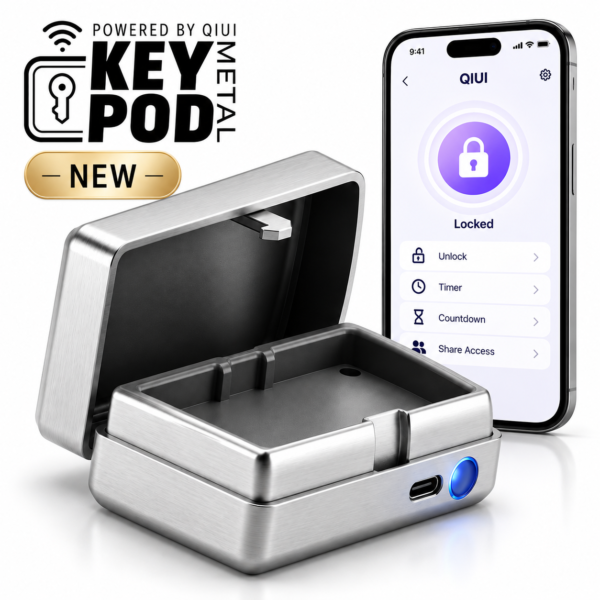
Metal KeyPod is a key-custody example: its app and local connection must be understood separately from any partner permission. A box opening still leaves a physical key to retrieve and use. See the product details and confirm the selected option before ordering.
Where Internet Access Enters the Picture
A conceptual remote chain has three segments: device ↔ nearby phone by Bluetooth → internet service ← remote partner’s phone. A specific model must document each segment before long-distance use is promised. The nearby phone might need to stay powered and connected; the partner may need an account or invitation. Neither fact can be inferred from “uses an app.”
The long-distance buying guide covers the broader coordination issue. Here the task is mapping the actual connection route and separating app-operated functions from physical release.
What Changes with a Cellular Device
A device with its own listed cellular mode can potentially follow a different path: device → cellular network → supported service ← remote phone. Pro Cellmate 3 lists Bluetooth and cellular connection modes, giving a real model to investigate. But the listing alone does not settle SIM requirements, coverage countries, subscription fees or whether a nearby phone is ever required for setup.
Ask for this exact generation’s connection instructions and supported regions before assuming the cellular path works where you live. Its catalog E-Stim attribute conflicts with visible description, so do not treat E-Stim as a verified feature of this model. A cellular label is about connectivity, not proof of any particular electronic function or release process.
QIUI CAGINK Pro Cellmate 3 App-Controlled Smart Chastity Cage
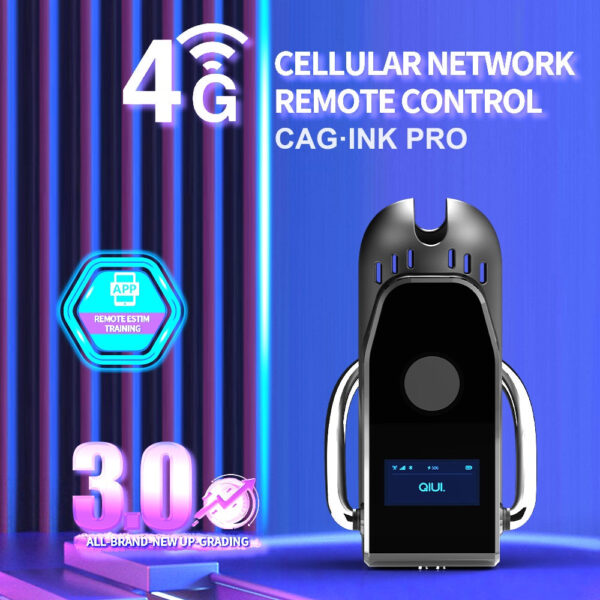
Pro Cellmate 3 lists Bluetooth and cellular modes, making it a real cellular-path candidate. Confirm region, setup and current instructions; its conflicting E-Stim data is not a feature claim here. See the product details and confirm the selected option before ordering.
Map the Connection Before You Choose
Write the needed phone, account and network beside each link. A question mark indicates a device-specific detail still to verify.
| Conceptual path | Nearby phone? | Accounts/network? | What remains unproven? |
|---|---|---|---|
| Device ↔ local phone | Yes for phone pairing | App account if required; internet not proven | Model range and offline behavior |
| Device ↔ phone → service ← partner | Usually part of route; verify model | Both phones, permissions and internet | Whether this exact model supports relay |
| Cellular device → service ← partner | May not relay through a nearby phone; verify | Cellular coverage and supported account | SIM, fees, region and setup steps |
Do not call any path “app unlocking” unless the selected cage manual explicitly says the app controls its lock. A working phone connection can still leave a physical key as the only release method.
Three Control Setups with Different Dependencies
War Dragon provides a fourth practical contrast to the phone-based paths: its listing uses a dedicated handheld remote for vibration. It does not rely on a phone app for that function, but its range, power needs and lock release still require model-specific checks. Short/long cage and three-/six-ring options depend on the chosen package.
Choose the control chain whose documented dependencies you can meet. Key-box Bluetooth, a verified cellular cage and a handheld remote solve different problems; none should be declared universally more reliable without testing and current instructions.
War Dragon Remote-Controlled Vibrating Chastity Cage Set
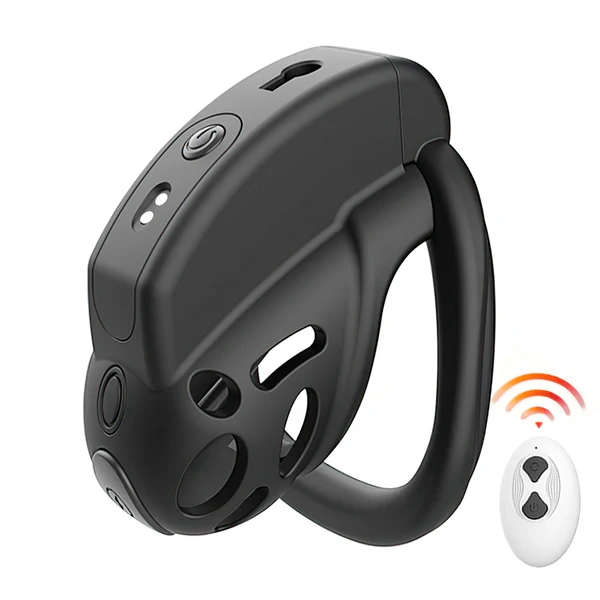
War Dragon demonstrates a handheld-remote vibration route without a phone app. Verify selected cage and ring package, remote inclusion and range rather than assuming it outperforms networked controls. See the product details and confirm the selected option before ordering.
Draw the device-to-controller path for the exact selected model. If any phone, account or network segment is undocumented, ask about that segment instead of assuming remote access from an app badge.