
Your phone may need to remain near the device if it provides the Bluetooth connection used by the app. That requirement depends on the model and its remote-control route. Compare app-controlled chastity options by what happens when the nearby phone moves away, loses power or goes offline, and verify those conditions before using the device.
Identify Which Phone Connects to the Device
For a Bluetooth app device, the phone next to the hardware may be different from the distant partner’s phone. Identify which phone actually pairs with the device. Then ask whether that phone must remain nearby during the desired function and what happens when it leaves. “App-controlled” on a product card does not answer these model-specific questions.
The long-distance guide explains broader coordination. This article is a focused phone-nearby checklist. It does not assume that disconnecting an app makes a restraint open.
Check the Route Used by Your Partner
Metal KeyPod can show two layers of access: local connection to a key box and a partner permission or timer feature. Verify which supported action each participant can perform and whether the nearby phone or an internet service carries it. Opening the box still only releases custody of a physical key; a person must use that key on a compatible manual lock.
Ask the seller or manufacturer: “For this exact model and app version, which phone pairs directly, must that phone stay within Bluetooth range, and can another account send a command through an internet service?” Keep the answers with the product model rather than generalizing from a different QIUI device.
QIUI Metal KeyPod App-Controlled Key Lock Box with Timer
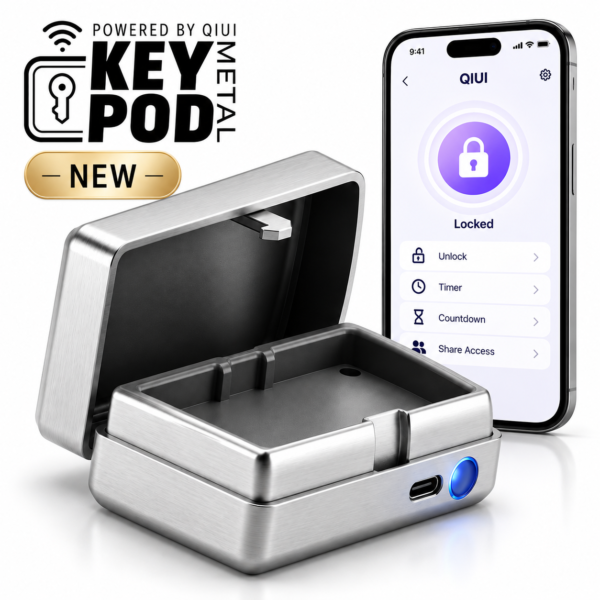
Metal KeyPod is useful for separating local box connectivity from partner access. Check its exact supported permissions and key fit; retrieving a key is still necessary for manual cage release. See the product details and confirm the selected option before ordering.
What Happens When the Nearby Phone Leaves
Possible outcomes differ: a running device function may continue, stop or become unavailable for further changes, depending on its instructions. A timer may be stored locally or require a service. Do not invent an automatic unlock when the connection drops. Even a manual-key cage remains mechanically locked until the key is used.
Read the current manual for offline behavior, low battery and local release. Ask specifically whether reconnecting the same phone restores control and whether a new phone requires re-pairing. A marketing claim about remote access does not settle either point.
Run a Connection Check Before Use
Test all steps with the device off the body. Pair the intended nearby phone, try the listed function, note the connection state, move the phone out of range, then return it. Check whether the app reports loss and recovery. Test the documented stop and release paths separately. Do not use an actual locked-on-body situation to discover what disconnection does.
| Test step | Record | Question if unclear |
|---|---|---|
| Local pair | Phone, OS, app version | Which phone must be nearby? |
| Phone leaves | Function and app state | Does control pause or continue? |
| Phone returns | Reconnection behavior | Is re-pairing required? |
| Release | Physical key or documented local route | How is an early stop handled? |
Compare Phone-Dependent and Alternative Controls
Pro Cellmate 3 lists Bluetooth and cellular modes, but cellular region, setup and fees need current documentation; it cannot simply be called phone-free worldwide. The Blue App and Remote Vibrating Cage lists both app and handheld remote options. Its remote is a control alternative for vibration, not an automatic failover or an app-operated unlock.
Choose a model only after its actual phone-nearby requirement and local access method are clear. A second controller may reduce reliance on one phone for a listed function, but it does not replace the cage’s own release instructions.
QIUI CAGINK Pro Cellmate 3 App-Controlled Smart Chastity Cage
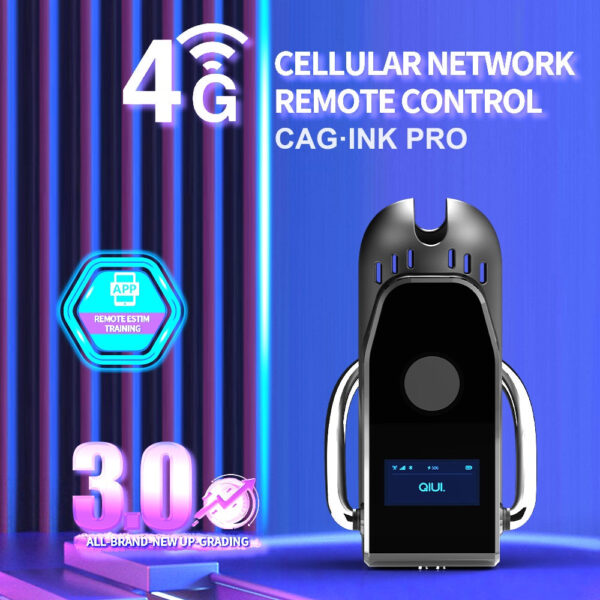
Pro Cellmate 3 provides listed Bluetooth and cellular modes to investigate, but no universal phone-free conclusion follows until regional and setup requirements are verified. See the product details and confirm the selected option before ordering.
Blue App and Remote Vibrating Chastity Cage with 10 Modes
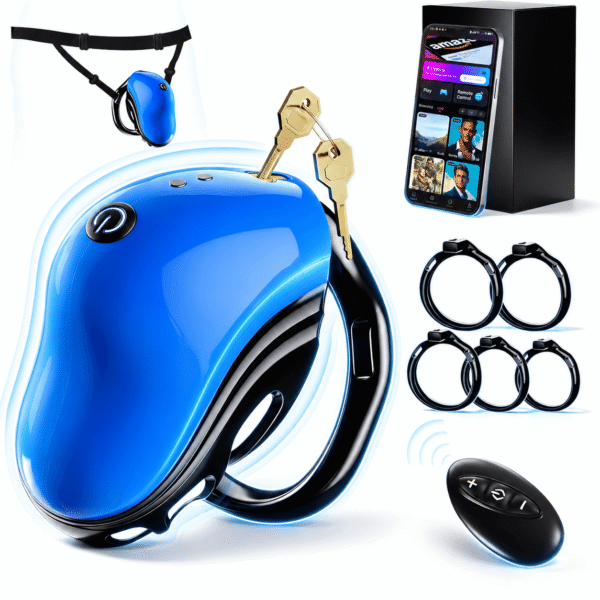
The blue vibrating cage lists both app and handheld remote control. That makes it a control-route comparison, not a guaranteed automatic backup or an app-unlock device. See the product details and confirm the selected option before ordering.
Before ordering, be able to name the phone that pairs, the network route for a partner and the independent release method. If any answer is missing, ask about that exact model instead of testing by disconnecting during use.