
Before setting up a new device, match the contents to the model and configuration on your order. Check the cage, rings, keys, controller and charging items separately. You can use the product catalog to reopen the exact listing, then record any mismatch while the packaging and labels are still available for a clear support request.
Match the label to your selected configuration
Before opening accessories, compare the shipping label and order confirmation with the product name and chosen variation. Write down the exact cage length, color, ring bundle and controller option you selected. A family product photograph can show several alternatives at once, so do not use it as the sole packing list. If the order summary is ambiguous, ask the store to identify the intended SKU before operating anything.
The nine-mode package guide shows why a family photo cannot establish a selected bill of contents. For this arrival check, use the current order and product page as your itemized source. Keep the package unworn and all electrical parts disconnected until the inventory is complete.
Check the cage and release components
Inspect the cage body, lock and physical access items without wearing the product. Compare the number and type of keys or release parts with the selected package list. Look for cracks, sharp edges, deformation or a lock that does not match the model label. Do not modify a part to make it fit the photograph. A physical-key system should have its normal legitimate access method identifiable before setup.
ThrillCage uses a physical key despite its app-controlled electronic functions. War Dragon’s remote controls the listed vibration function; the selected cage and release parts still require their own check. A plastic remote-and-box kit has a different component arrangement. Do not assume their keys, locks or remotes interchange.
QIUI ThrillCage App-Controlled E-Stim Chastity Cage
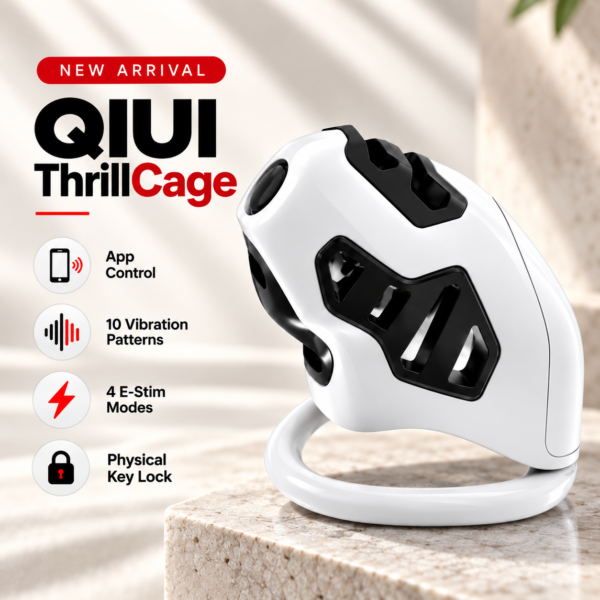
ThrillCage combines app-controlled functions with a physical key. Count the key and approved charging parts separately. See the product details and confirm the selected option before ordering.
Count listed rings and accessories
Count only the rings and accessories promised for the exact selected option. War Dragon can be described with a three-ring or six-ring package in its listing; the actual order must establish which one is supplied. Record the printed sizes rather than estimating ring diameters from a photograph. Check silicone pads, inserts or other listed items against the same selected package list, not another variation’s gallery.
If a part is missing, keep the entire set and packaging together. Take a clear photo of the unworn items laid out on a clean surface. Do not use a ring from another model because the printed number appears the same; shape and attachment may differ.
War Dragon Remote-Controlled Vibrating Chastity Cage Set
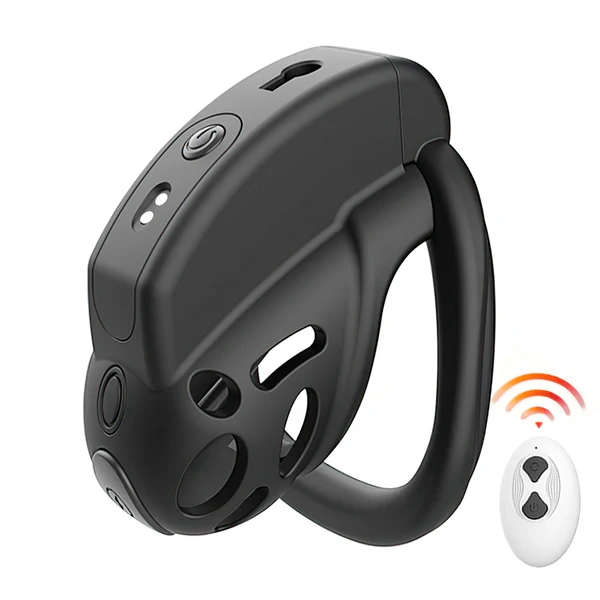
War Dragon has option-dependent cage length and ring bundles. Check the chosen package rather than counting from its gallery image. See the product details and confirm the selected option before ordering.
Match the controller and charging items
Identify the app, handheld remote, wired host, separate box, cable or charging adapter named for the chosen package. Label each cable by model and purpose. A USB-C or magnetic shape does not approve a lookalike replacement. Confirm the manual and charging instructions are present or available from the manufacturer before powering the unit. Do not treat a remote as proof of electronic unlocking.
For the plastic remote-and-box kit, count the remote, wire and power box if the selected package promises them. For ThrillCage, check its approved charging parts and separate physical key. For War Dragon, verify the remote and option-dependent rings. Record any discrepancy before connecting electronics.
Record missing or damaged components before setup
Use a received-versus-listed sheet. Include photos of the unworn part and packaging where relevant, but hide your address and payment information before sharing. Contact the store through its current contact page with the order reference privately. The current shipping policy explains how to report delayed, missing or damaged parcels; read the current returns policy for remedy terms rather than assuming a free replacement or particular deadline.
| Item | Listed for chosen option | Received | Issue/photo |
|---|---|---|---|
| Cage and release parts | Fill in | Fill in | Fill in |
| Ring sizes | Fill in | Fill in | Fill in |
| Controller and power parts | Fill in | Fill in | Fill in |
Plastic E-Stim Chastity Cage with Remote and Control Box Set

The plastic remote-and-box kit lists distinct electronic components. Match each received part to the current selected package list. See the product details and confirm the selected option before ordering.
A complete inventory before setup makes a missing component easier to describe and avoids trying to solve a package issue by improvising with another model.